First steps with VNCworkflow
By the end of this tour you will have started a request and seen where approvals go.
1. Open VNCworkflow
Section titled “1. Open VNCworkflow”Open VNCworkflow. The Overview shows your open tasks and the requests you submitted.
2. Start a request
Section titled “2. Start a request”Select New request and pick a type — Blank template, Software introduction or Staff request — then follow the wizard: Text & attachments, Station route, Summary.
3. Track it
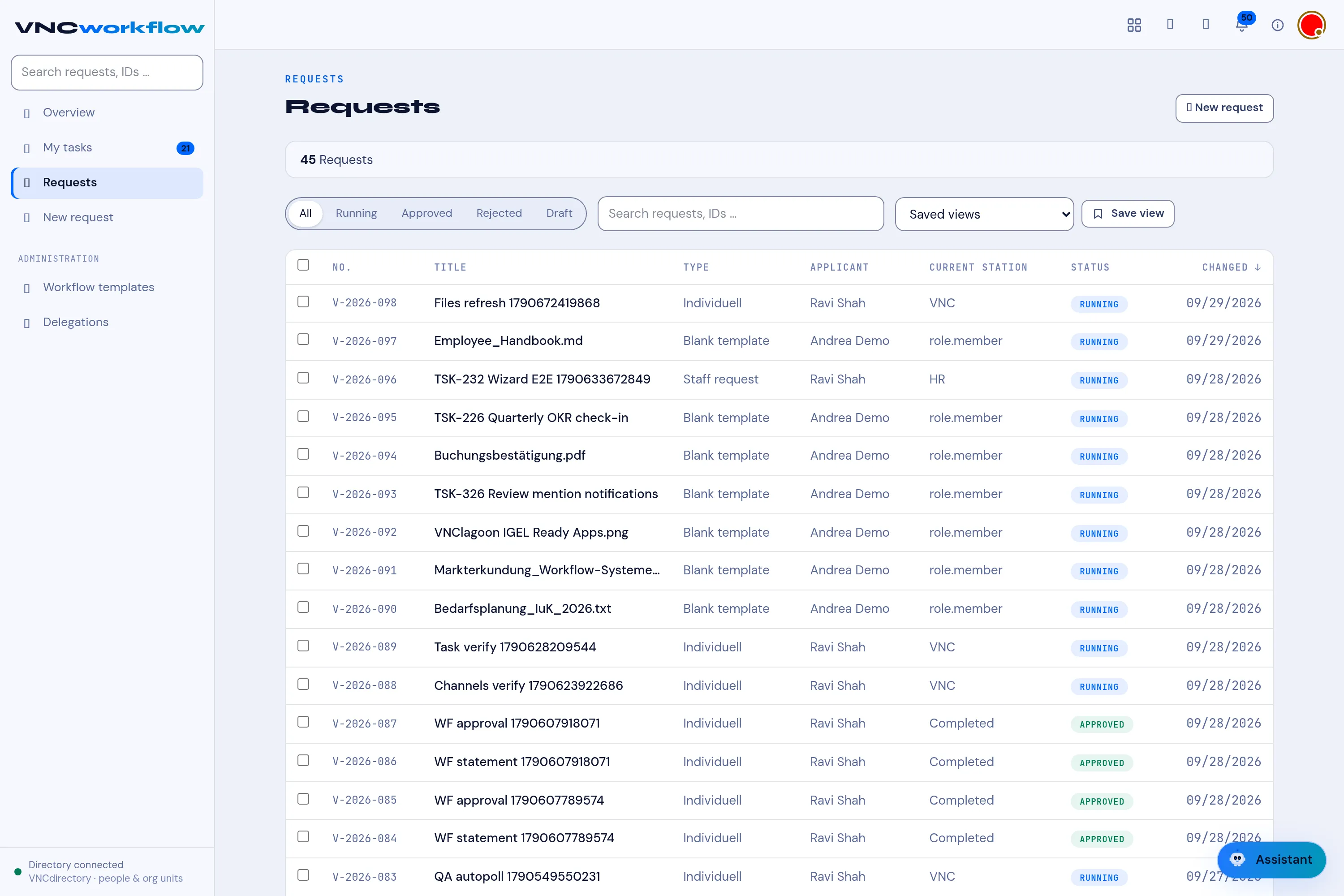
Section titled “3. Track it”Open Requests to see every request with its Current station and state (Running, Approved, Rejected, Draft, Completed).
4. Approve
Section titled “4. Approve”My tasks lists the stations assigned to you — that is where you approve or reject.
What you learned
Section titled “What you learned”- The template decides the route; you just fill in the content.
- My tasks is your approval inbox.