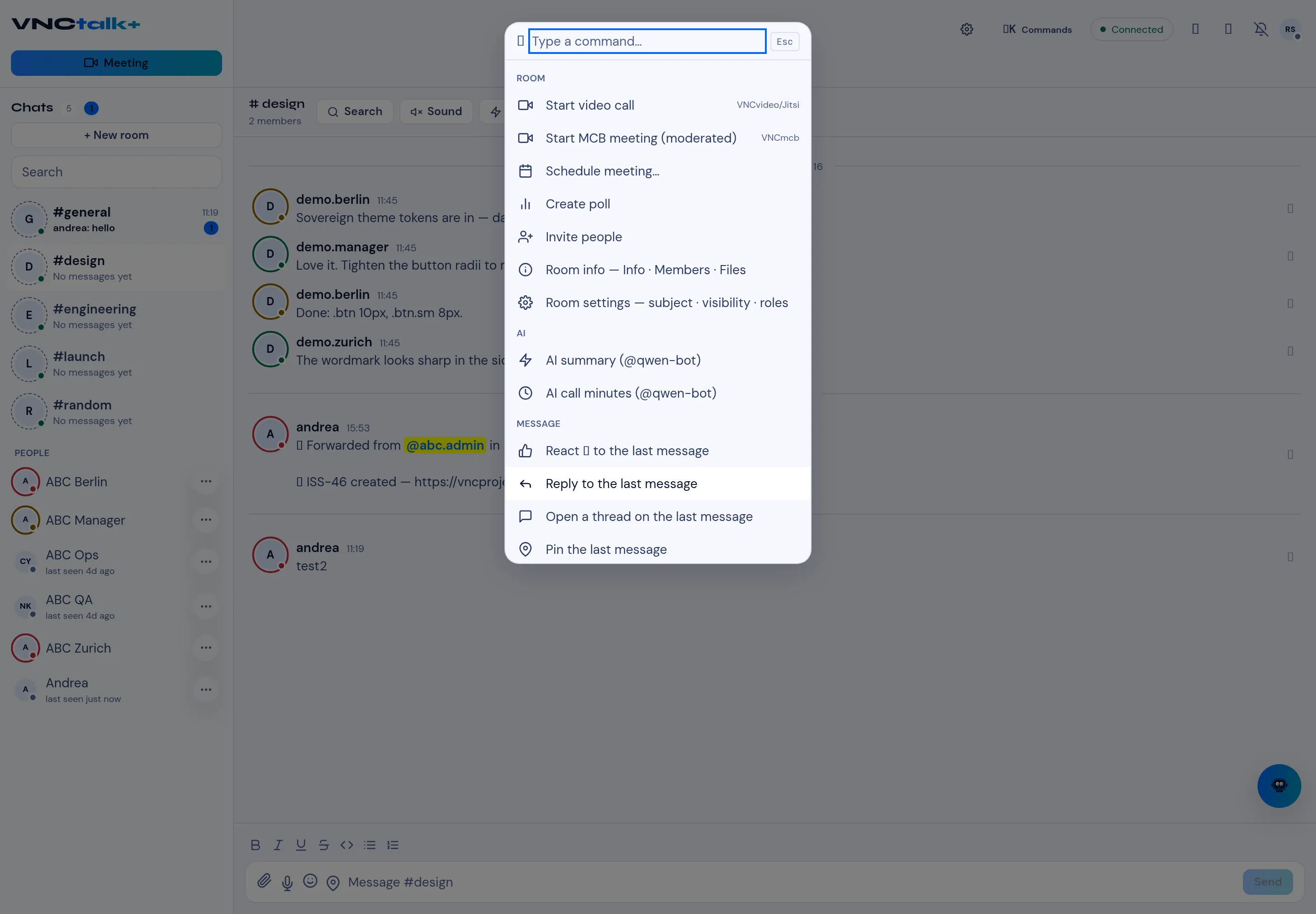
Commands
Select ⌘ Commands above the conversation (or start typing in the command box) to open the command palette. Type to filter, then choose a command.
| Command | Does |
|---|---|
| Start video call | Opens a VNCvideo (Jitsi) call for the room. |
| Start MCB meeting (moderated) | Opens a moderated VNCmcb meeting. |
| Schedule meeting… | Puts a meeting in the calendar. |
| Create poll | Posts a poll in the room. |
| Invite people | Adds members to the room. |
| Room info | Shows Info, Members and Files. |
| Room settings | Edits subject, visibility and roles. |
| Command | Does |
|---|---|
| AI summary | Summarises the conversation (runs via @qwen-bot). |
| AI call minutes | Produces minutes from a call (runs via @qwen-bot). |
Message
Section titled “Message”These act on the last message in view:
| Command | Does |
|---|---|
| React | Adds a reaction. |
| Reply | Starts a threaded reply. |
| Open a thread | Opens the message’s thread. |
| Pin | Pins the message to the room. |