The Requests list
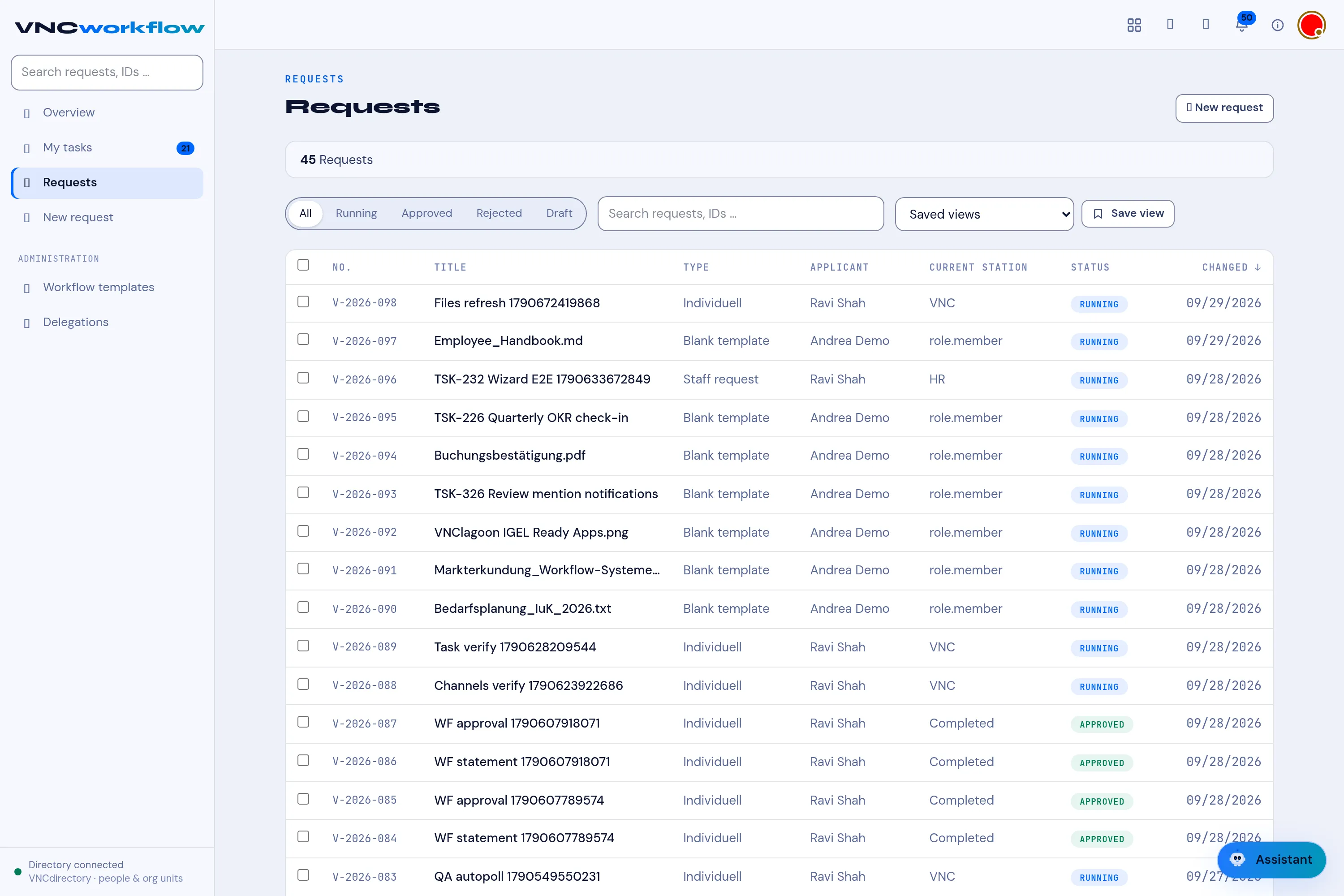
Requests lists every process request.
Header
Section titled “Header”The counts summarise the list, for example 13 Requests.
Filters
Section titled “Filters”The chips narrow the list: All, Running, Approved, Rejected and
Draft. The search box matches on request names and IDs, and you can filter by template (a templateId filter).
Each row
Section titled “Each row”| Element | Meaning |
|---|---|
| Title | The request, for example Software introduction. |
| ID · type · submitter | The ID (V-2026-xxx), the process type and who submitted it. |
| Current station | The station the request is at now — Completed when done. |
| Status badge | RUNNING, APPROVED, REJECTED or DRAFT. |
Start a new one with New request.
Saved views
Section titled “Saved views”Next to the filters, Saved views keeps a filter and search combination you use often. Choose Save view, give it a name, and it appears in the dropdown for one-click use; delete it from the same menu.
Acting in bulk
Section titled “Acting in bulk”Tick rows — or Select all — to act on several requests at once. The bar that appears offers Approve and Reject for the selected requests.
Sort and columns
Section titled “Sort and columns”- Sort — Newest, Oldest, Title A–Z, Number, Status.
- Columns — No., Title, Type, Applicant, Current station, Status, Changed.