Workspaces
A workspace is a shared area for a project or team — a tab across the top of VNCfluid with its own members and its own board of portlets, scoped to that project’s data. My Day is the default (personal) tab; workspaces sit beside it.
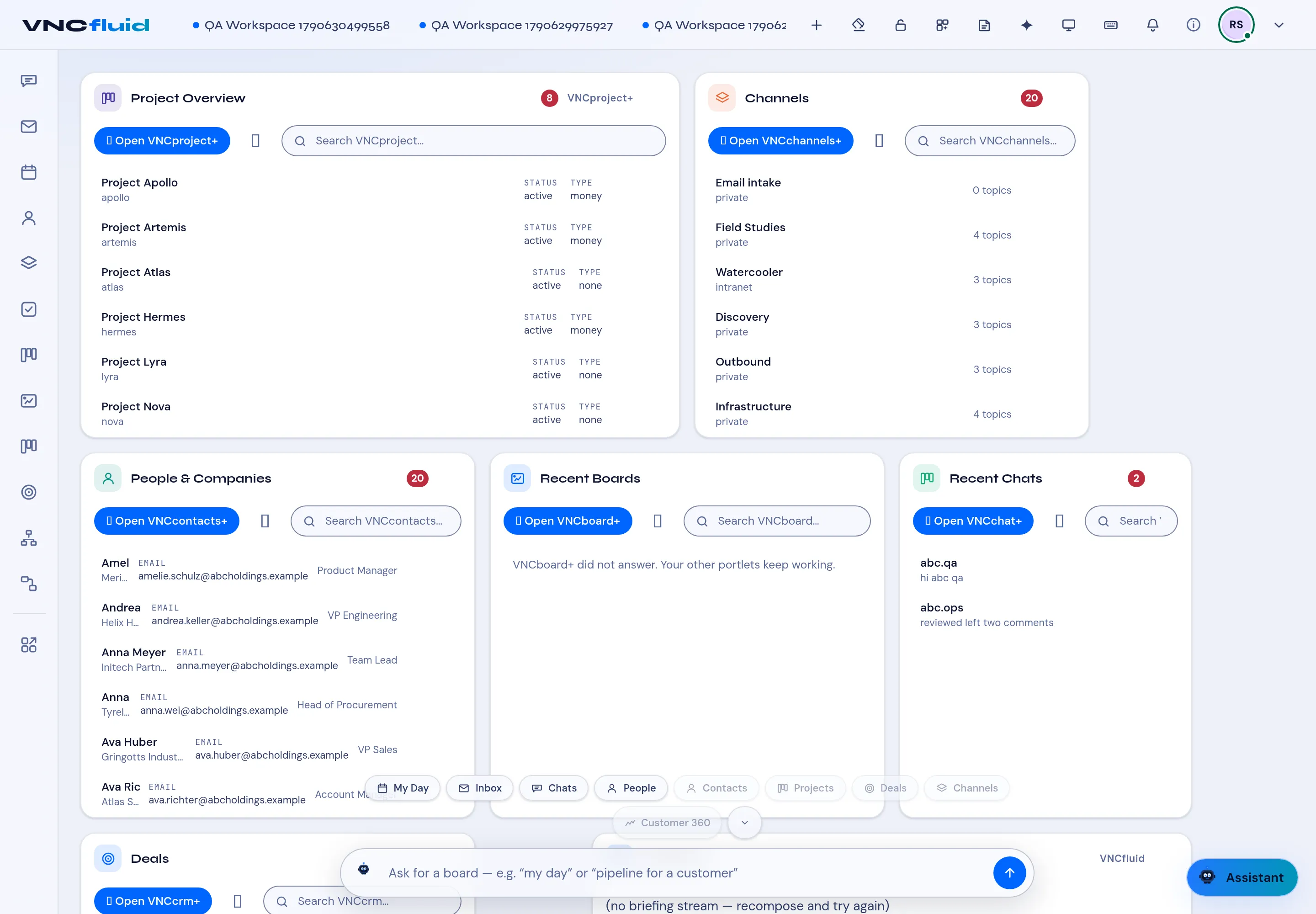
Create a workspace
Section titled “Create a workspace”Select + (or Workspace) on the tab bar, then give it:
- a Name and Description,
- a Start date and End date, and
- Members — add people or units from VNCdirectory+ and set each one’s Role: Owner, Moderator or Member.
The members you set at creation are the workspace’s audience from the first moment — every app you scope to it is visible to exactly them.
Scope apps to the workspace
Section titled “Scope apps to the workspace”Apps links the products the workspace works in: Projects, Files, Boards, Calendar, Workflow and Channels/chat. For each, either Choose an existing item or Request new — a project request goes to the admins (shown as pending until they act).
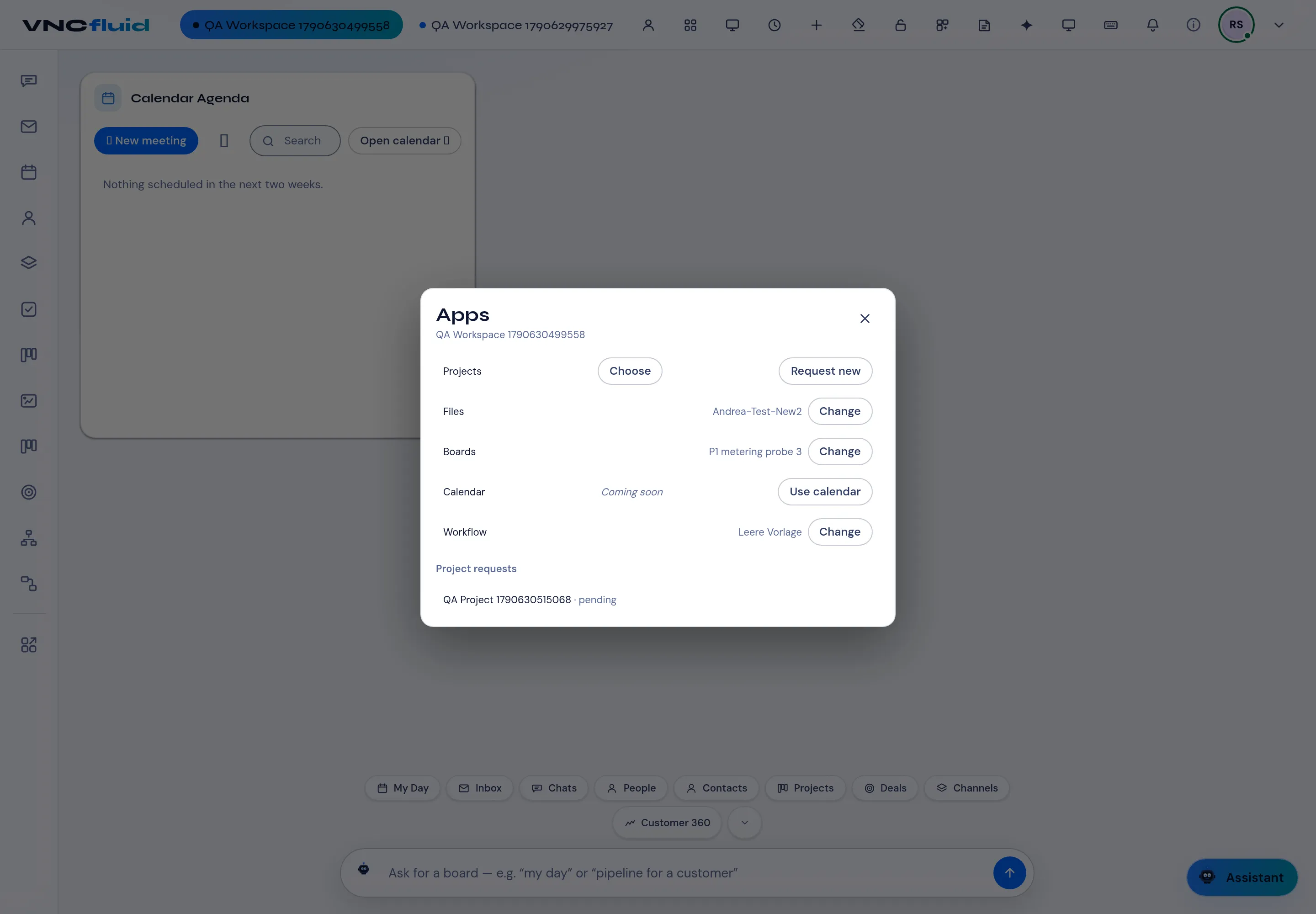
A chat tile is always present in the workspace, and the workspace’s board opens the linked items directly.
Members
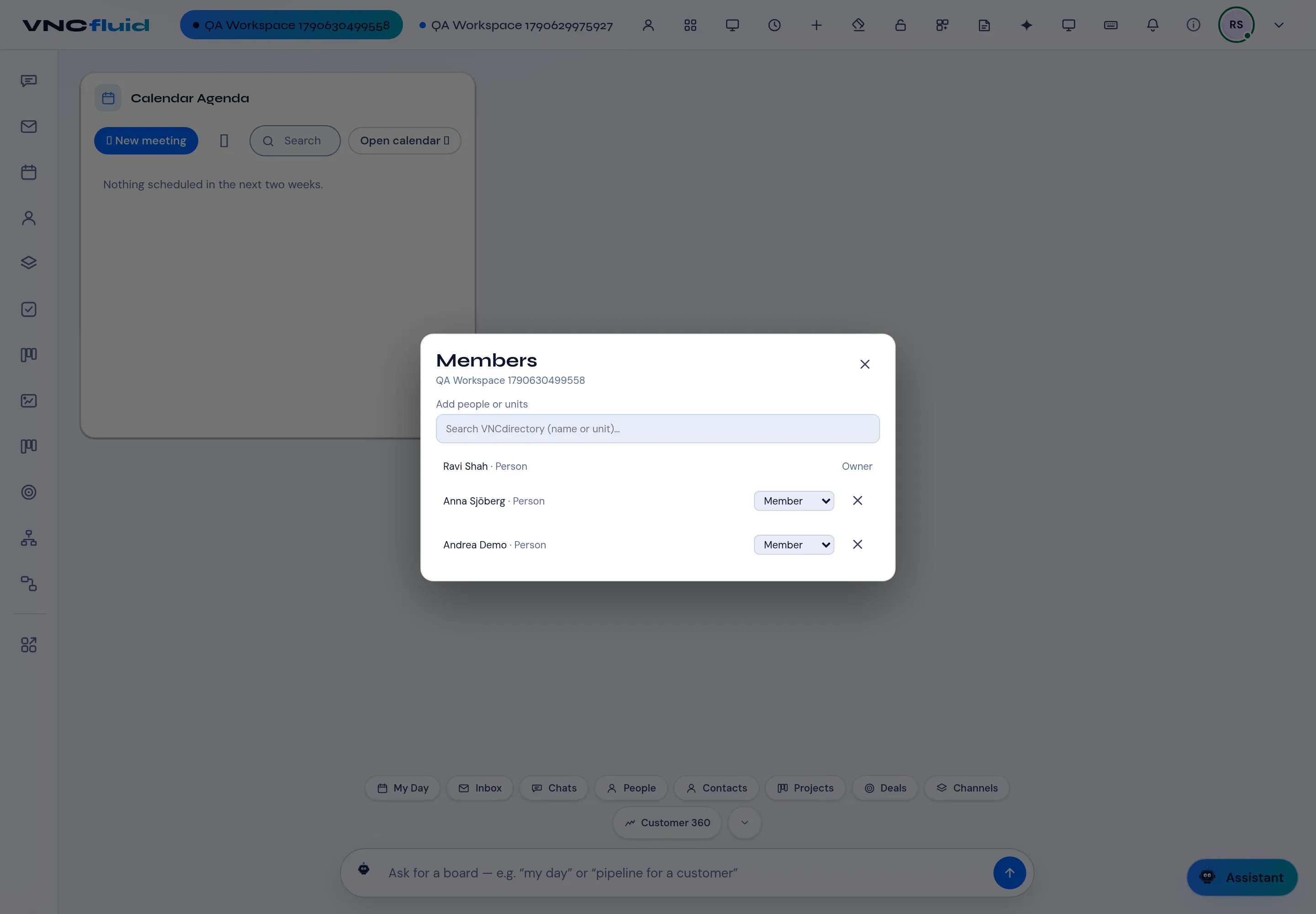
Section titled “Members”Members opens the roster: add people or units from VNCdirectory+, change a member’s role, or remove them. Owners and moderators manage the workspace; members take part.
Workspace views saves board layouts for the workspace, so a team can share a prepared view instead of re-arranging portlets. Individual members can hide or show a view for themselves.
Audit trail
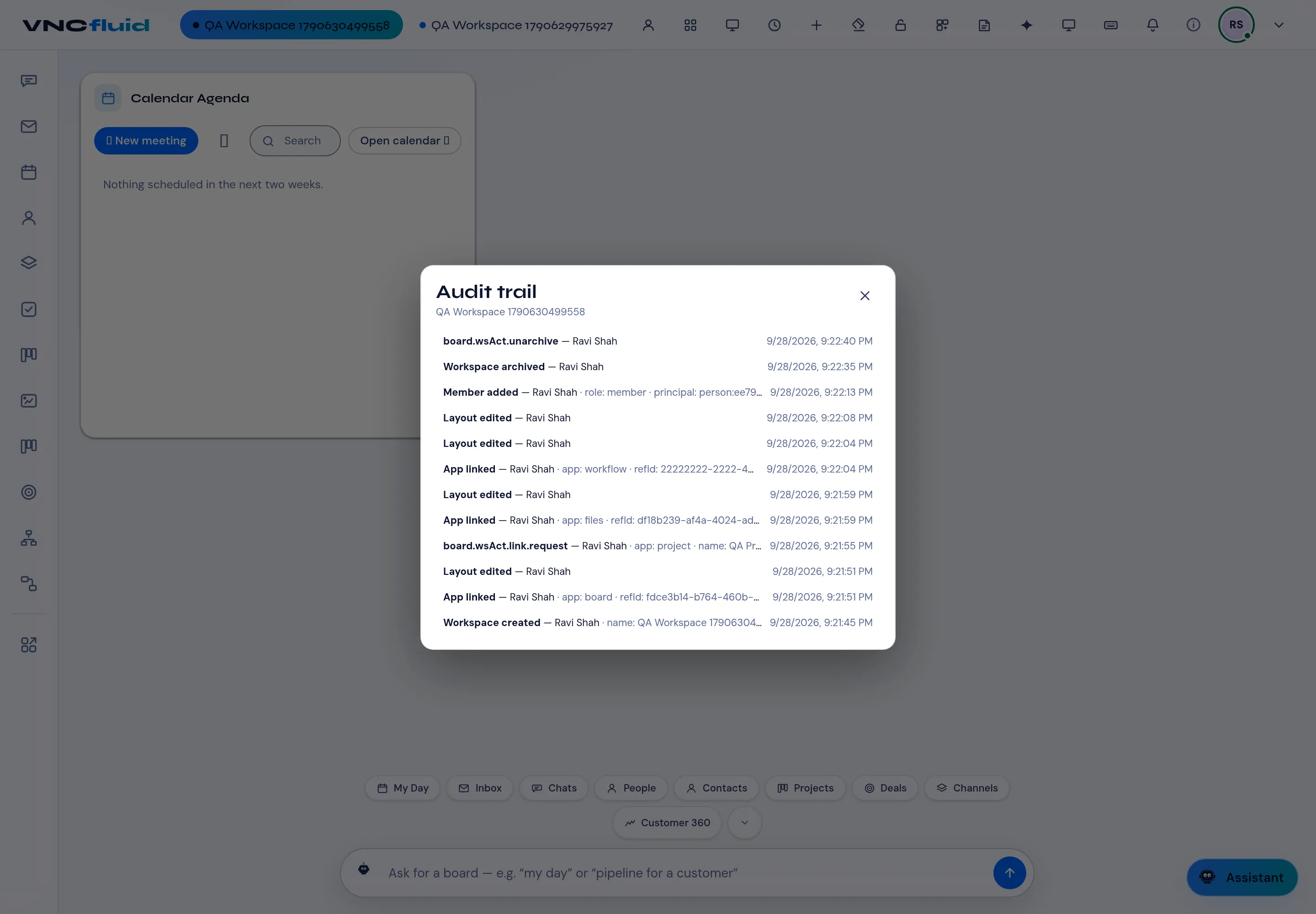
Section titled “Audit trail”Audit trail is a read-only record of what happened in the workspace — created, app linked, member added, layout edited, archived and restored — with the actor and the time.
Archive and restore
Section titled “Archive and restore”Archive a workspace when a project closes; it leaves the tab bar and moves to Archived, where an owner can restore it. The audit trail is kept.