First steps with VNCtask+
By the end of this tour you will have created a task and moved it across the board.
1. Open Tasks
Section titled “1. Open Tasks”Open VNCtask+ from the portal. The Tasks list shows everything with a summary line (N open · N done · N overdue).
2. Create a task
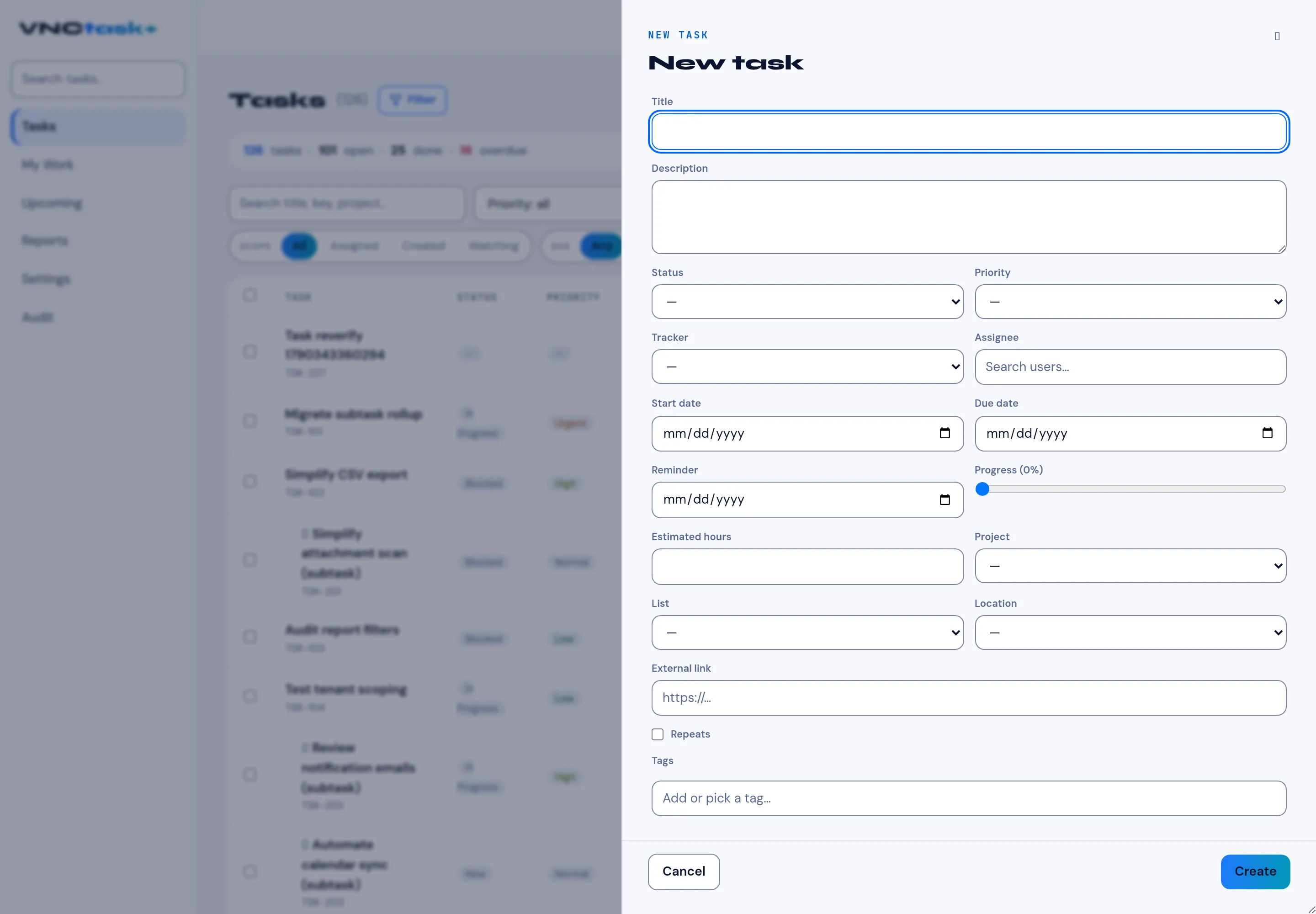
Section titled “2. Create a task”Select + New task, enter a Title, optionally set Status, Priority and an Assignee, then Create.
3. See your work
Section titled “3. See your work”Open My Work for your tasks grouped by urgency — Overdue, Due today, Due this week, No due date, Watching.
4. Move it along
Section titled “4. Move it along”Switch to Board to see tasks as columns by status and drag a card to the next column.
What you learned
Section titled “What you learned”- Tasks carry a status, priority and tracker.
- My Work is the fastest view for your own load; the Board is for flow.