The left navigation
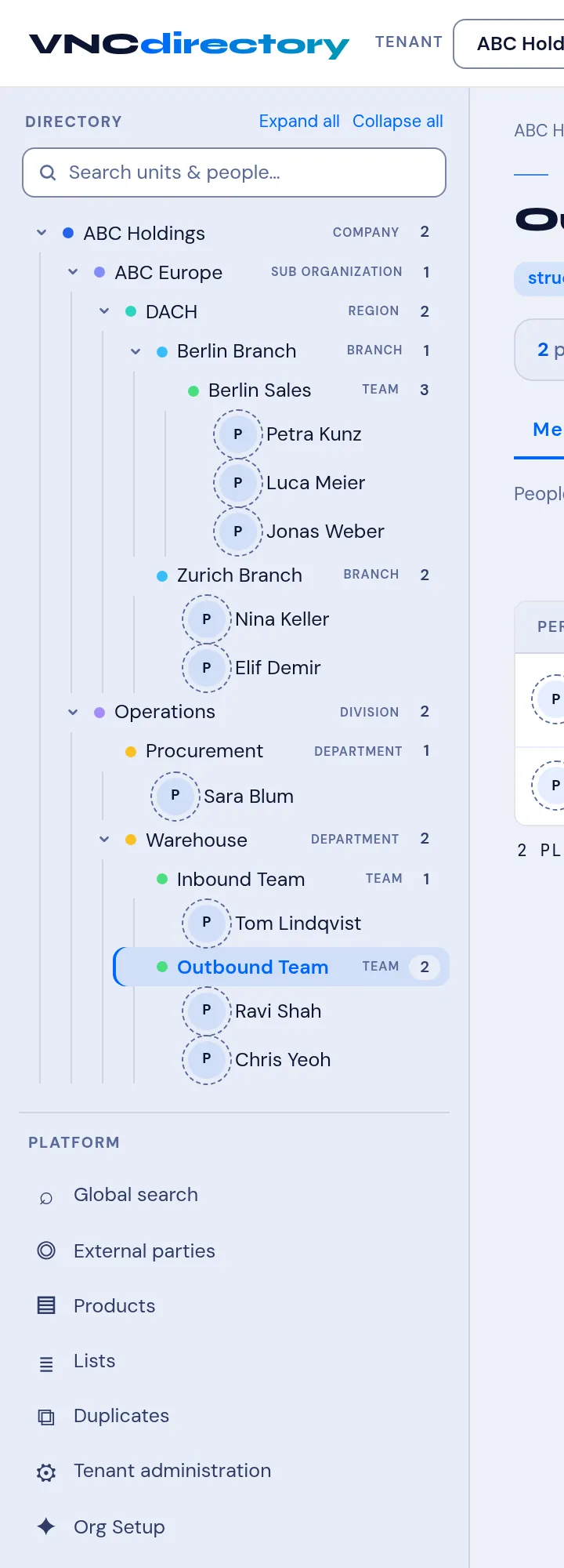
The VNCdirectory+ sidebar (left) mixes the org tree with the tenant’s admin tools. Expand all / Collapse all control the org tree.
Find and browse
Section titled “Find and browse”| Item | What it is |
|---|---|
| Global search | Search people, units and records across the directory. |
| External parties | Customers, partners and suppliers. |
| Products | The products/entitlements in the tenant. |
| Lists | Lists, Custom fields and Suppressions (Do-Not-Contact). |
| Duplicates | Suggested duplicate person records to review. |
→ Global search · Manage external parties · Manage products · Lists, custom fields and suppressions · Find a person
Administration
Section titled “Administration”| Item | What it is |
|---|---|
| Tenant administration | The tenant (your organization, e.g. ABC Holdings): its settings and Provision a user. |
| Org Setup | Model the organisation — the Organisation tree and Apply profile. |
| Secrets & Keys | Secrets and keys for the tenant (for integrations). |
→ Units and entitlement · Access grants
The org tree
Section titled “The org tree”Below the fixed items, the org tree lists units; expand one to see its members. Open a unit for the unit view, or a person for their profile. → Browse members and units · The unit view · A person’s profile · Add a person