Open a card in its app
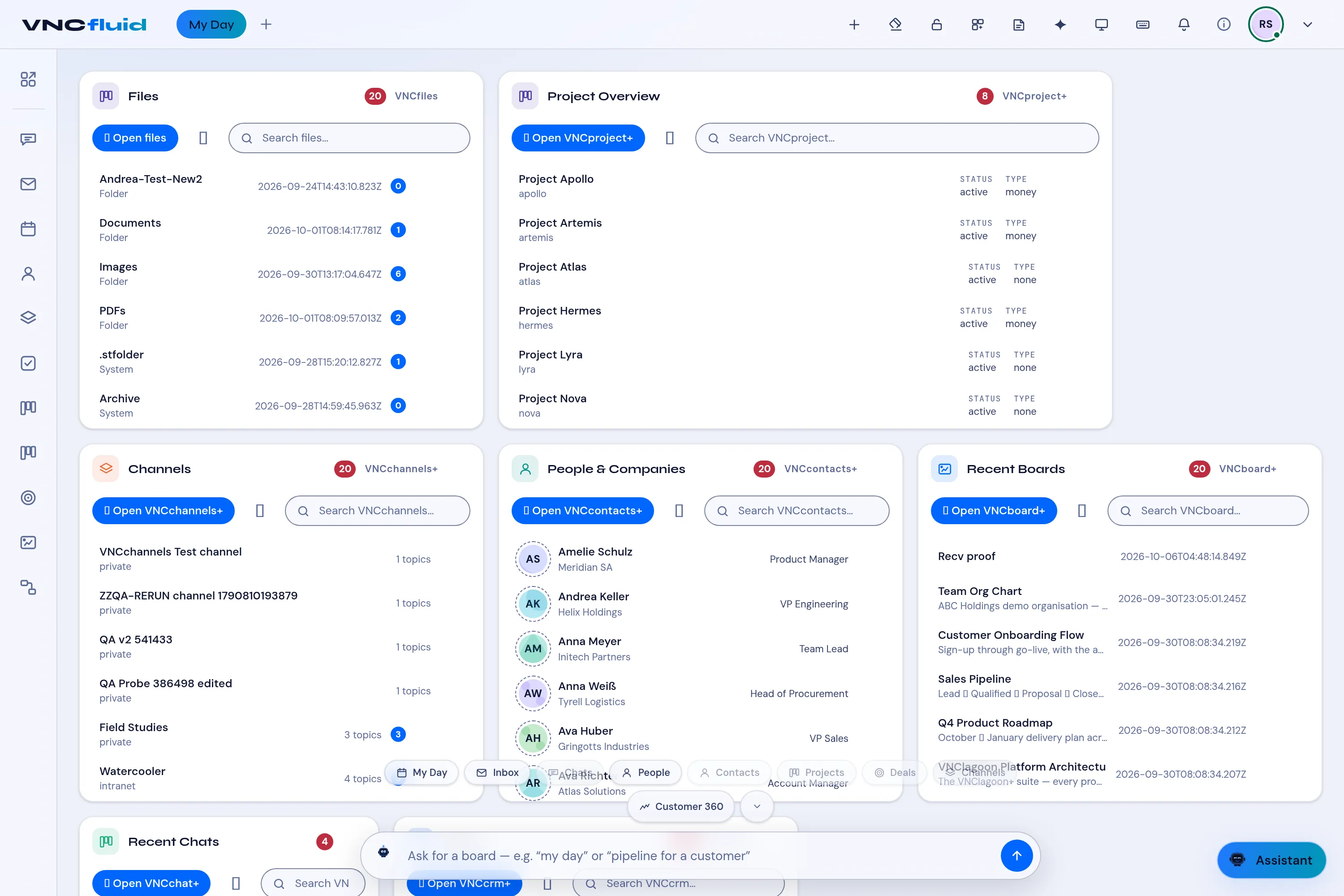
Every card in My Day is a window onto another VNC app. You can open a record or the whole app from the card.
- Open VNCfluid and stay on My Day.
- Find the card you need — Project Overview, Channels, People & Companies, Recent Boards, Recent Chats, Deals or Mail.
- Open a single item by selecting its row, for example a project or a board.
- To go to the app itself, select Open VNCproject+ (or Open VNCchannels+, Open VNCboard+, and so on) at the top of the card.
- Use the Search … box on a card to filter that card without leaving My Day.
Result
Section titled “Result”You land in the product with the record open, or on the product’s home page when you use the Open … button. My Day stays your starting point — the cards refresh as you work elsewhere.