Start a request
A request is a process that travels through defined stations to one or more approvers. Start one from the wizard.
- Open VNCworkflow. The Overview shows your open tasks and the requests you have submitted.
- Select New request in the top right.
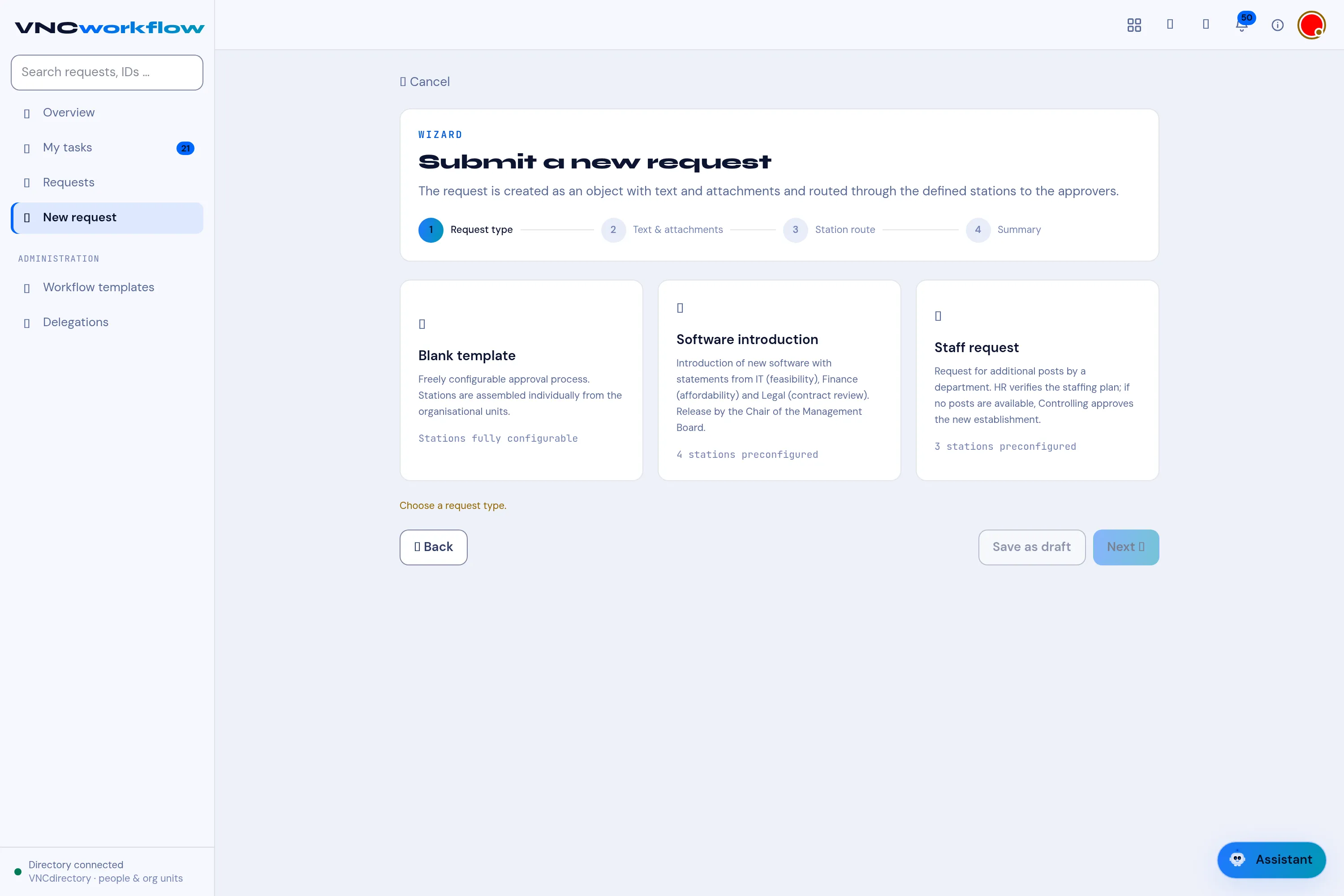
- In the wizard, choose a Request type:
- Blank template — a freely configured approval process,
- Software introduction — introducing new software,
- Staff request — requesting additional posts.
- Select Next and fill in Text & attachments.
- Follow the Station route the template defines, then confirm the Summary to submit. Save as draft keeps it for later instead.
Result
Section titled “Result”The request moves to the first station. Follow it under Requests I submitted and under My tasks when it is your turn to approve. Its status is Approved, Rejected, Running or Draft.