Create a work item
Work items are the units of work in a project — tasks, bugs, features, ideas. You can add one from the Work items list or from inside a project.
-
Open VNCproject+ and select Work items in the left navigation.
-
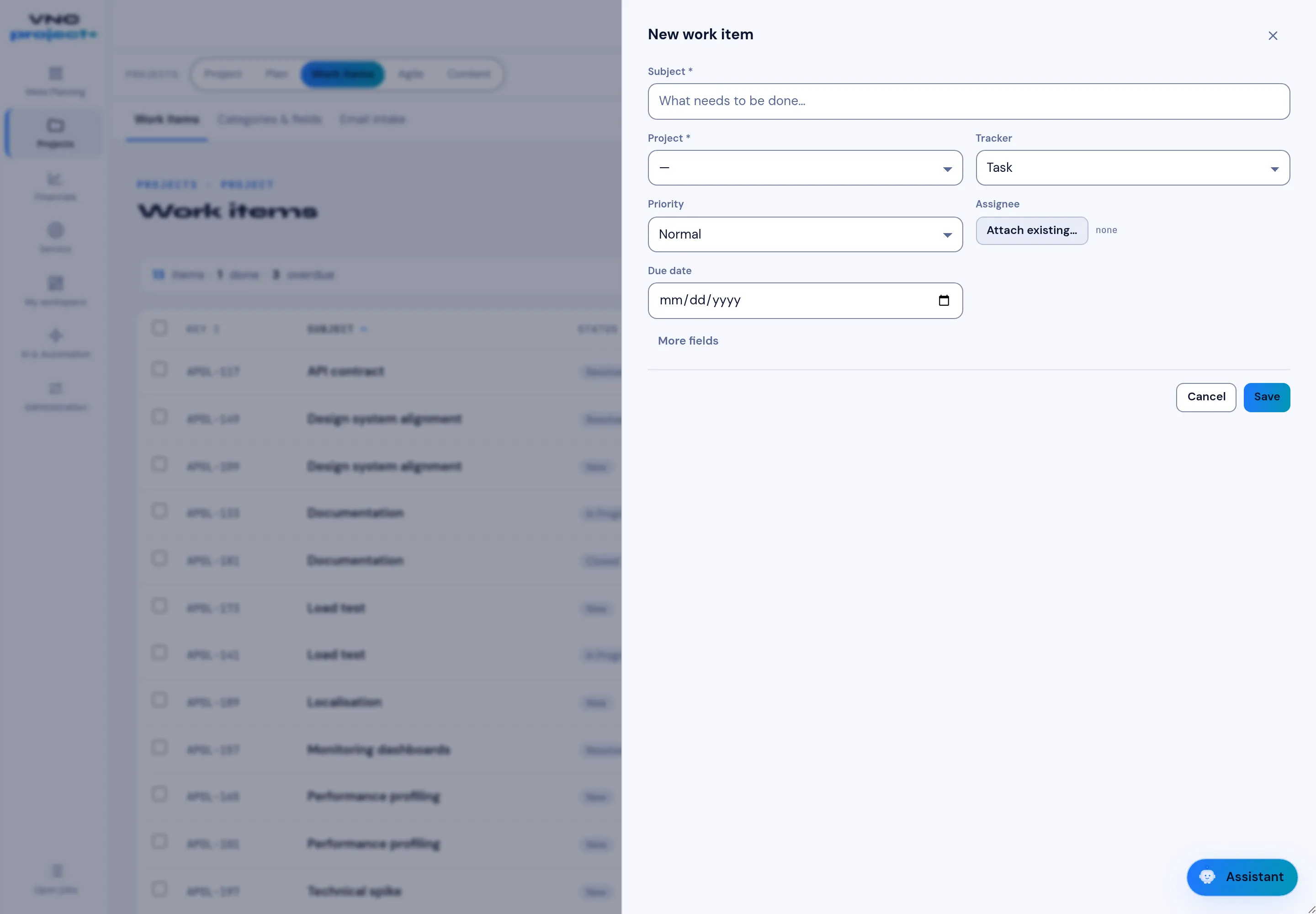
Choose New (top right) — the New work item form opens on the right.
-
Fill in the form:
Field Notes Subject Required — a short, action-oriented title. Project Required — the project the item belongs to. Tracker The kind of item: Task, Bug, Feature, Idea, … Priority Low, Normal, High or Urgent. Assignee Use Attach existing to pick a person; leave empty for unassigned. Due date Optional deadline. -
Select More fields to set a description, category, estimate and other custom fields.
-
Select Save.
Result
Section titled “Result”The item appears at the top of the Work items list. Open it to add a description, attachments, comments, time entries and relationships.