Synced files and the Sync console
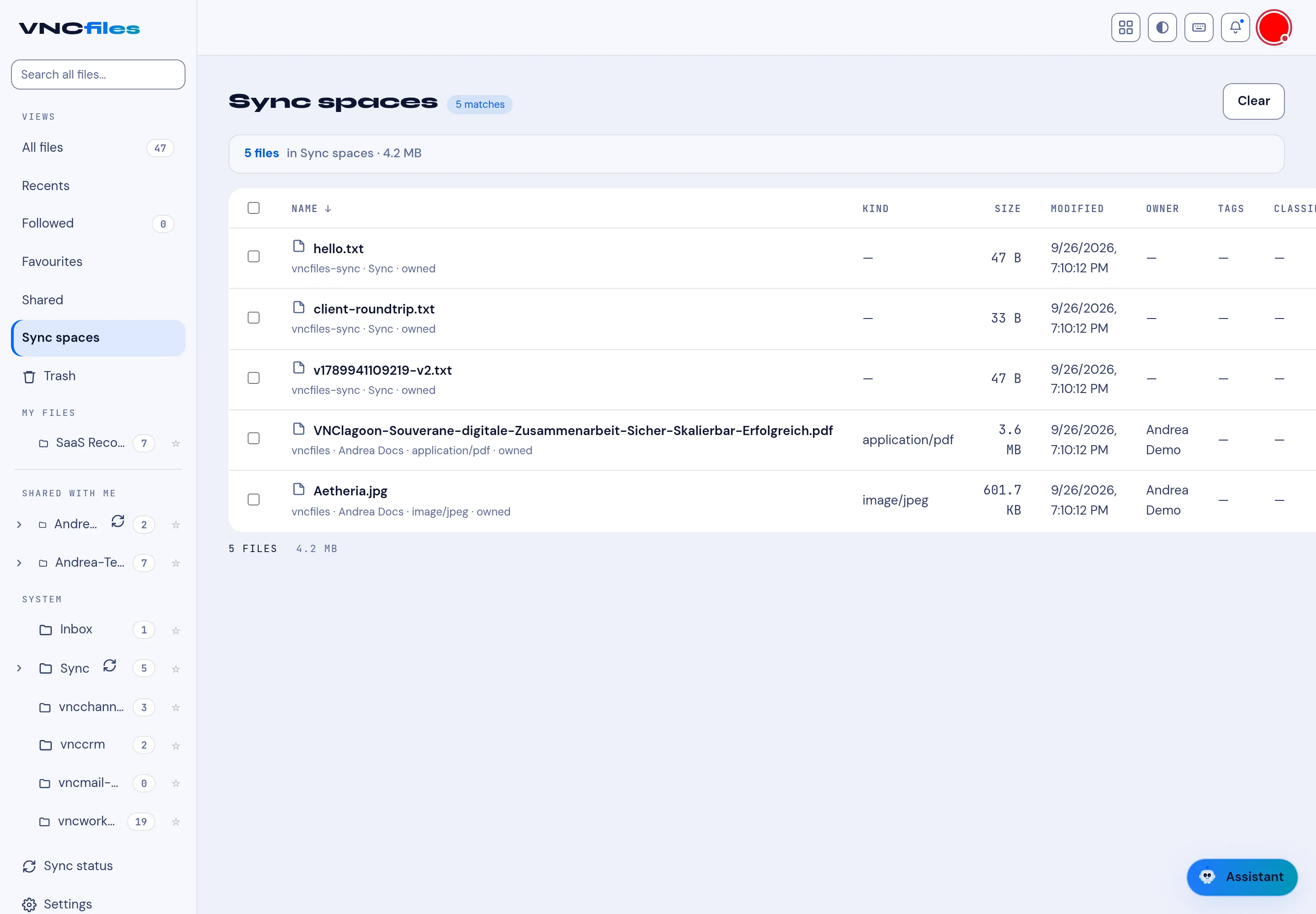
A sync space is a folder that is kept in step across your devices. The Sync group in the sidebar has two items: Synced files (a view of the files inside your sync spaces) and Sync console (the management panel).
The view
Section titled “The view”Select Synced files in the sidebar. The header shows the count and size — for example 5 files in Synced files · 4.2 MB — and the list uses the same columns as All files: NAME, KIND, SIZE, MODIFIED, OWNER, TAGS and CLASSIFICATION.
Each row also names its space and origin, for example:
hello.txt—vncbfiles-sync · Sync · ownedVNClagoon-…pdf—vncbfiles · Andrea Docs · application/pdf · owned
The sidebar groups
Section titled “The sidebar groups”| Group | Contains |
|---|---|
| VIEWS | All files, Recents, Favourites, Sharing. |
| SYNC | Synced files, Sync console. |
| MY FILES | Your own folders. |
| SHARED WITH ME | Folders others shared with you. |
| APPLICATIONS | App-owned folders — Transfers and per-app spaces (vncchannels, vnccrm, vncmail-plus, vncworkflow, …). |
A sync glyph marks the spaces that sync. Open Sync console for pending uploads, conflicts, devices and each space’s recent runs (an already-in-sync run reads in sync).