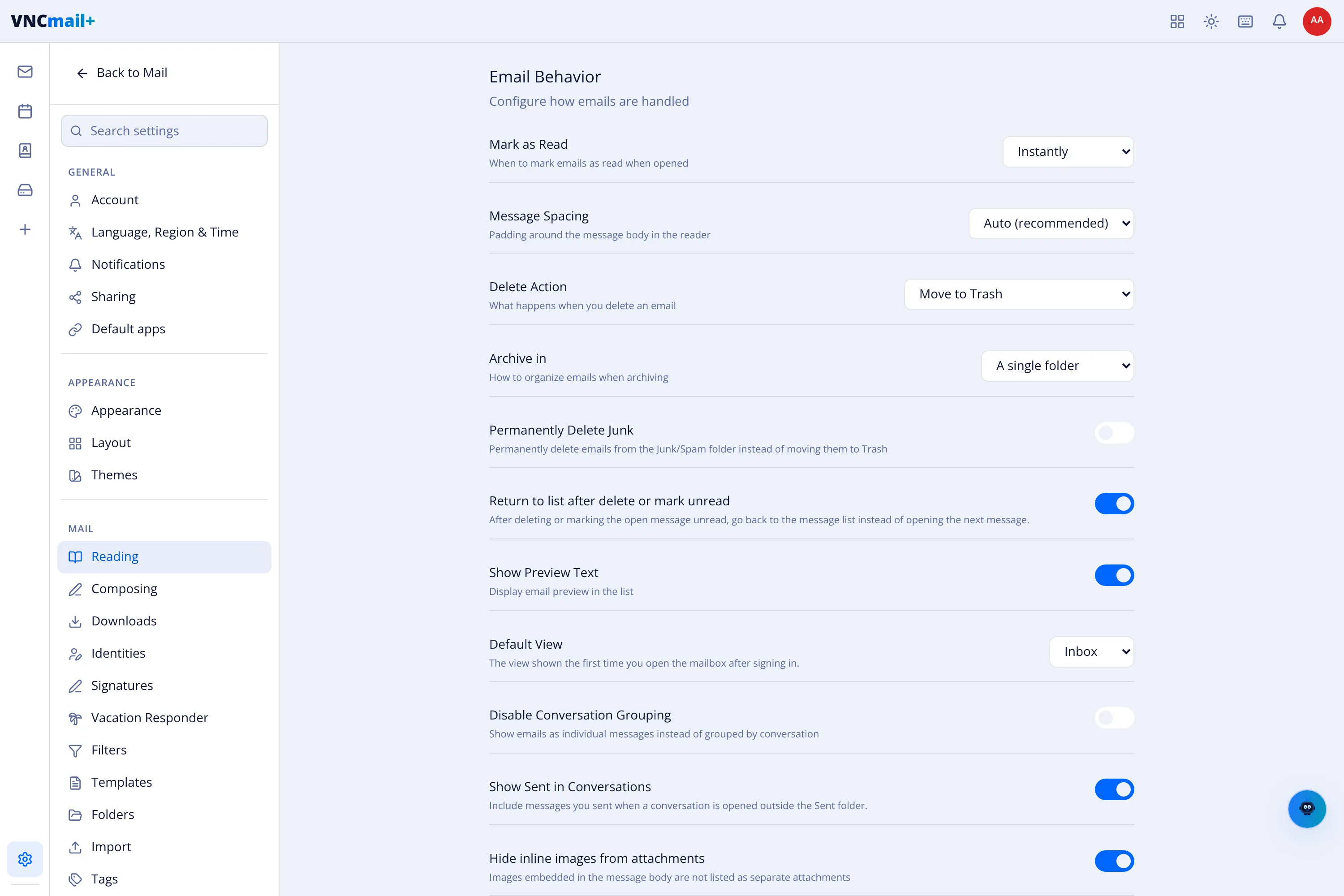
Reading settings
Settings → Reading (titled Email Behavior) controls the list and the reader.
| Setting | What it does |
|---|---|
| Mark as Read | When opening a message marks it read — Instantly, or with a delay. |
| Message Spacing | Padding around the message body in the reader. |
| Delete Action | What Delete does — Move to Trash by default. |
| Archive in | Whether archiving files to a single folder or by year. |
| Permanently Delete Junk | Delete Junk/Spam outright instead of moving it to Trash. |
| Return to list after delete or mark unread | Go back to the list instead of opening the next message. |
| Show Preview Text | Show a line of the body in the list. |
| Default View | The view shown first after sign-in — Inbox by default. |
| Disable Conversation Grouping | Show messages individually instead of grouped into conversations. |
| Show Sent in Conversations | Include your sent messages when a conversation is opened outside Sent. |
| Hide inline images from attachments | Don’t list images embedded in the body as attachments. |
| Show image previews in attachments | Render a thumbnail for image attachments. |