Filtering and importing contacts
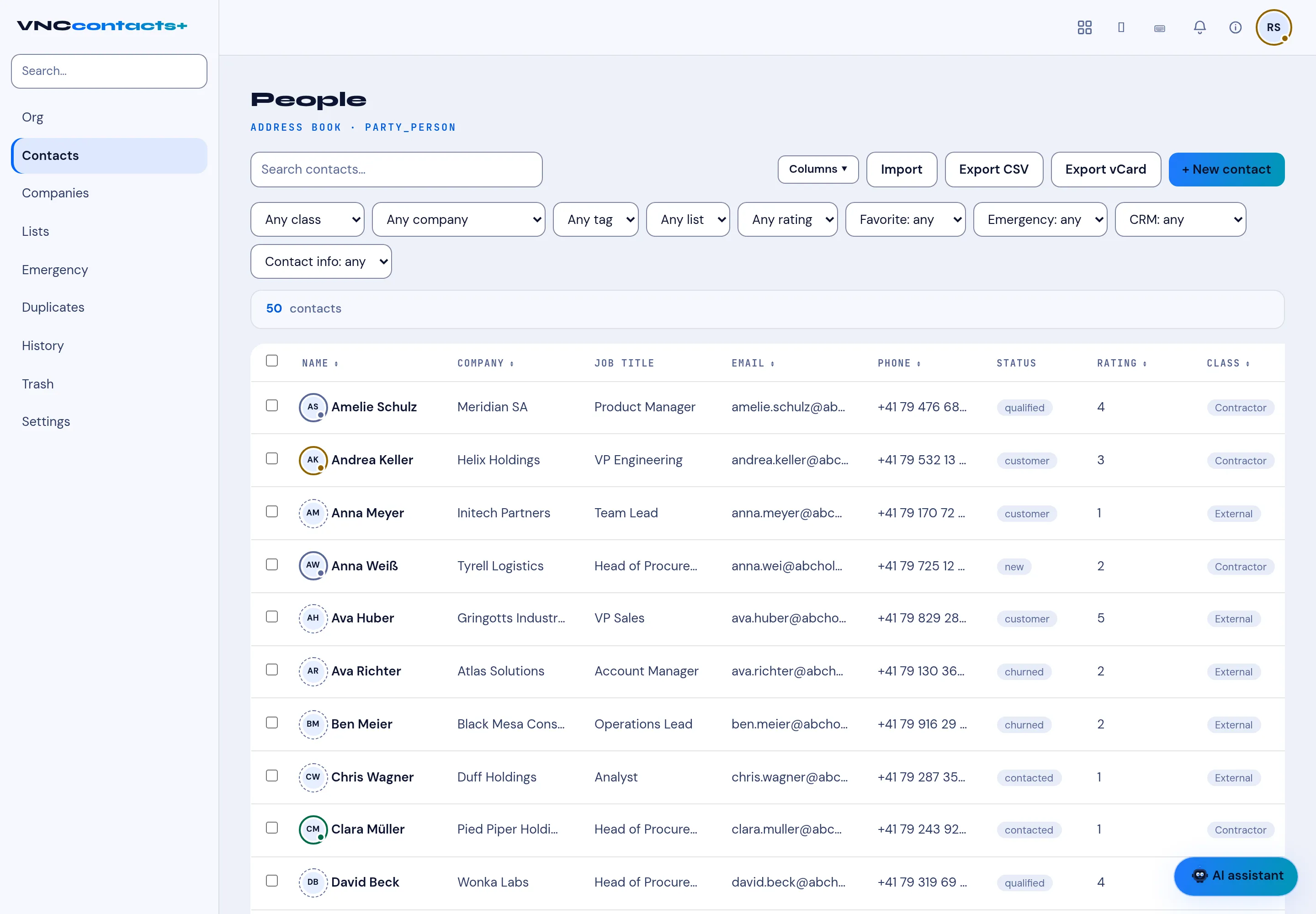
The People list (the Contacts section, tagged ADDRESS BOOK · PARTY_PERSON) holds the people you can see. See Search contacts for the search itself; this page covers the controls around it.
The filter bar
Section titled “The filter bar”| Filter | Narrows by |
|---|---|
| Any class | The contact class (Contractor, External, …). |
| Any company | The company. |
| Any tag | A tag. |
| Any list | A list (segment). |
| Any rating | The rating, 1–5. |
| Favorite: any | Favourites. |
| Emergency: any | Emergency contacts. |
| CRM: any | Whether the person exists in VNCcrm. |
| Contact info: any | Records with or without contact details. |
The People header shows the count (for example 50 contacts). The table columns are Name, Company, Job title, Email, Phone, Status (new, contacted, qualified, customer, churned), Rating and Class. Columns chooses which to show.
Import and export
Section titled “Import and export”- Import — bring contacts in.
- Export CSV — the current selection as a spreadsheet.
- Export vCard — the current selection as vCards.