The topic page
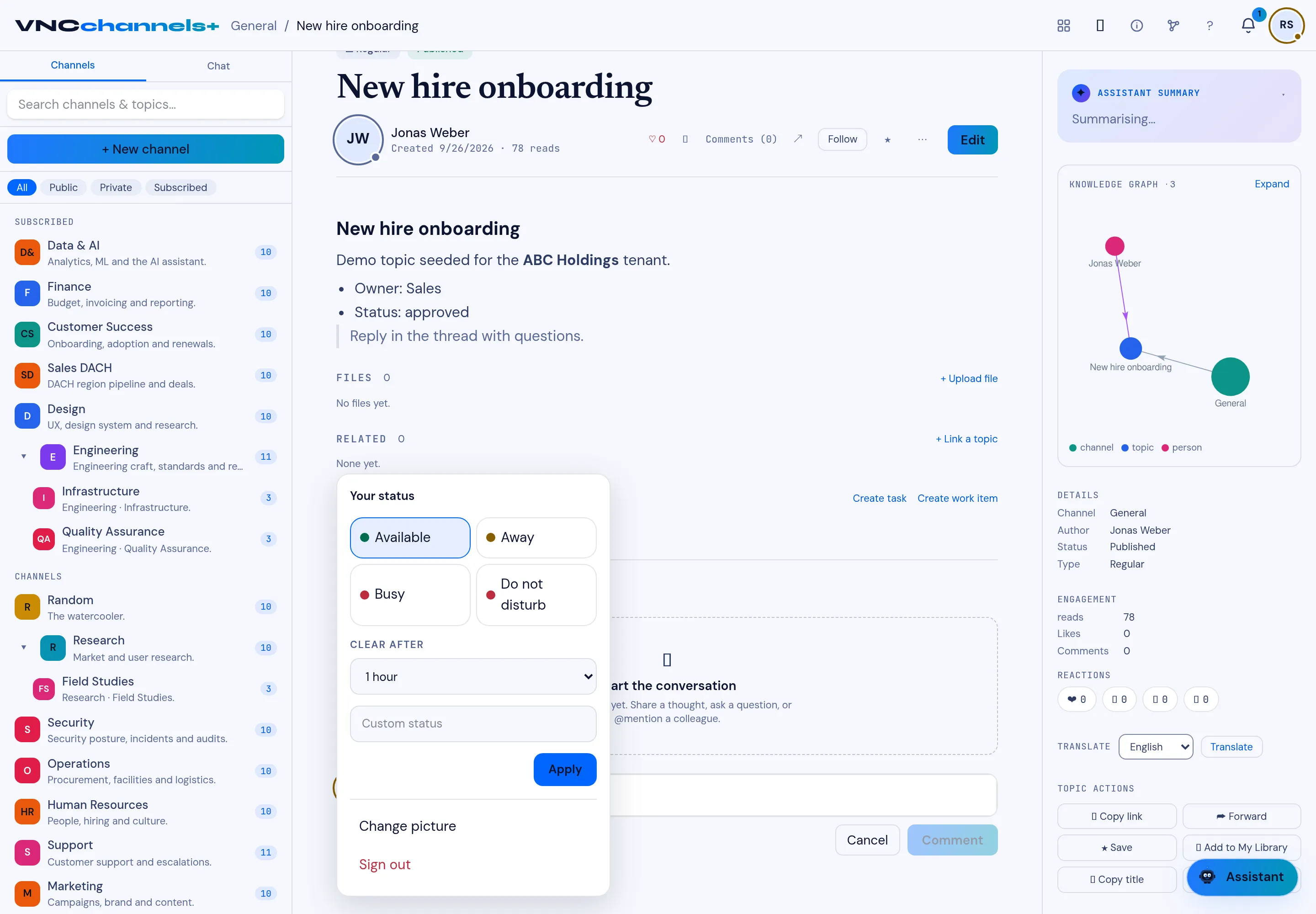
Opening a topic shows the full record. The header names the channel and the topic’s position (Topic 2 of 11, with previous/next arrows).
Header actions
Section titled “Header actions”Under the title and author (created … · N reads):
| Control | Does |
|---|---|
| Like (heart) | Reacts to the topic. |
| Bookmark | Saves it. |
| Comments (n) | Jumps to the thread. |
| Share / Forward | Shares the topic. |
| Follow | Subscribes you to updates. |
| Star | Favourites it. |
| ⋯ | More actions. |
| Edit | Edits the topic (if you wrote it). |
Body and linked sections
Section titled “Body and linked sections”- Files — attached files, + Upload file — see Attach a file.
- Related — + Link a topic.
- Linked items — cross-product items, with Create task and Create work item — see Create a linked task or work item.
- Comments — the thread below (see Comment on a topic).
Video transcripts
Section titled “Video transcripts”For a video topic, a Transcript panel sits below the body. If the video has not been transcribed yet, select Transcribe video to queue it (it shows Transcription queued, and the text appears here when it is ready); a failed transcription offers Retry. Use Show transcript / Hide transcript to collapse it.
Once a transcript exists, a language selector switches between the Original and the German, French, Italian and English translations, produced on demand (Translating… while it loads).
The right-hand rail
Section titled “The right-hand rail”| Panel | Shows |
|---|---|
| Assistant summary | An AI summary of the topic. |
| Knowledge graph | The topic’s links to channels, topics and people (RFC-style backlinks). |
| Details | Channel, author, status (Published) and type (Regular). |
| Engagement | reads, likes, comments. |
| Reactions | The reaction counts. |
| Translate | A language picker and Translate. |
| Topic actions | Copy link, Forward, Save, Add to My Library, Copy title. |