First steps with VNCfiles
By the end of this tour you will have a folder with a file in it.
1. Open Files
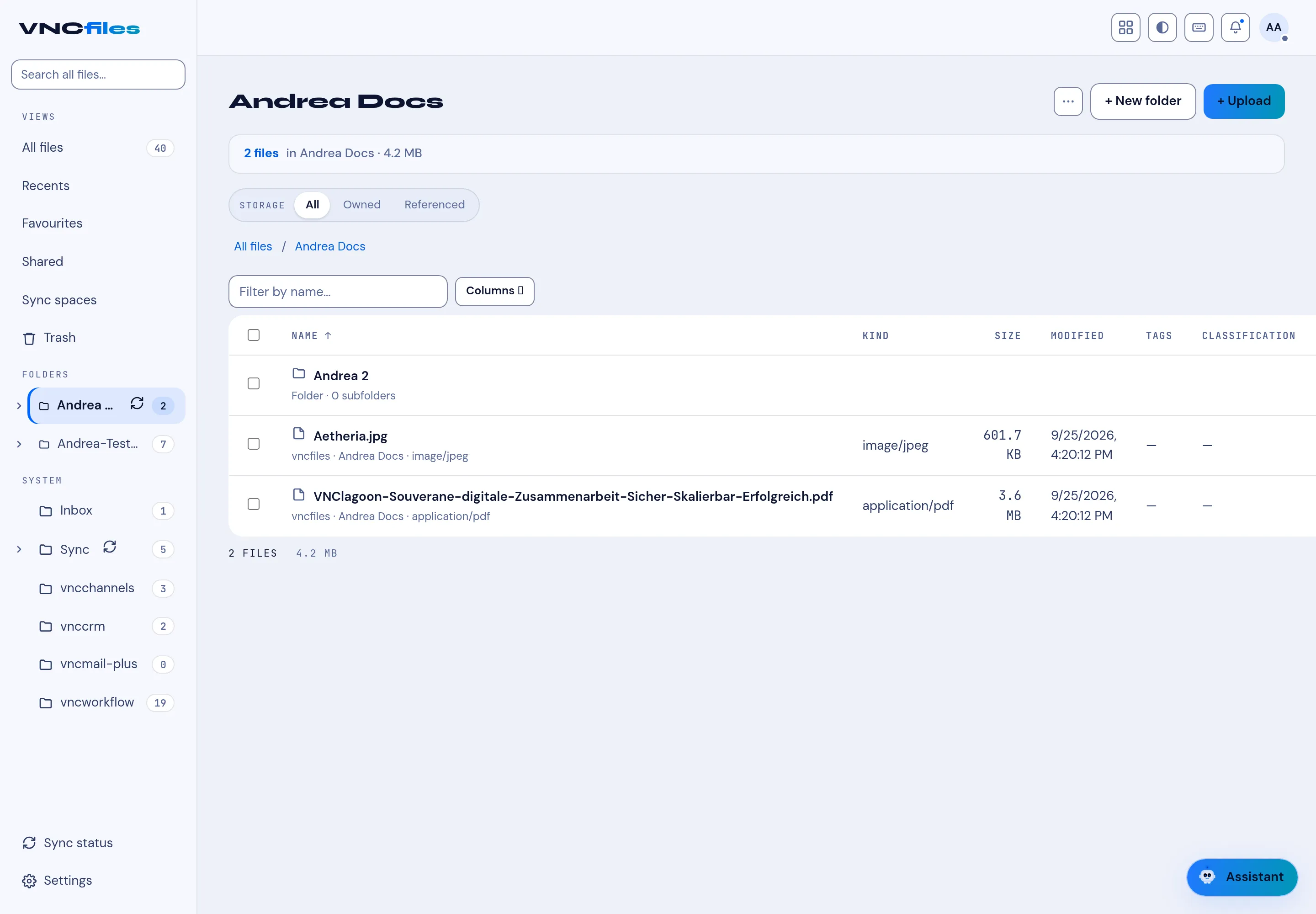
Section titled “1. Open Files”Open VNCfiles from the portal. The left sidebar has the views — All files, Recents, Favourites, Sharing, Synced files, Trash — and your folders.
2. Create a folder
Section titled “2. Create a folder”Select + New folder, type a name and select Create.
3. Upload
Section titled “3. Upload”Open the folder and select + Upload (or drag files onto the page). Each file shows its Kind, Size, Modified, Tags and Classification.
4. Find and share
Section titled “4. Find and share”Use Filter by name or the Storage filter (All / Owned / Referenced); files you share appear under Sharing.
What you learned
Section titled “What you learned”- Folders hold files; views help you find them.
- Classification and tags travel with the file.