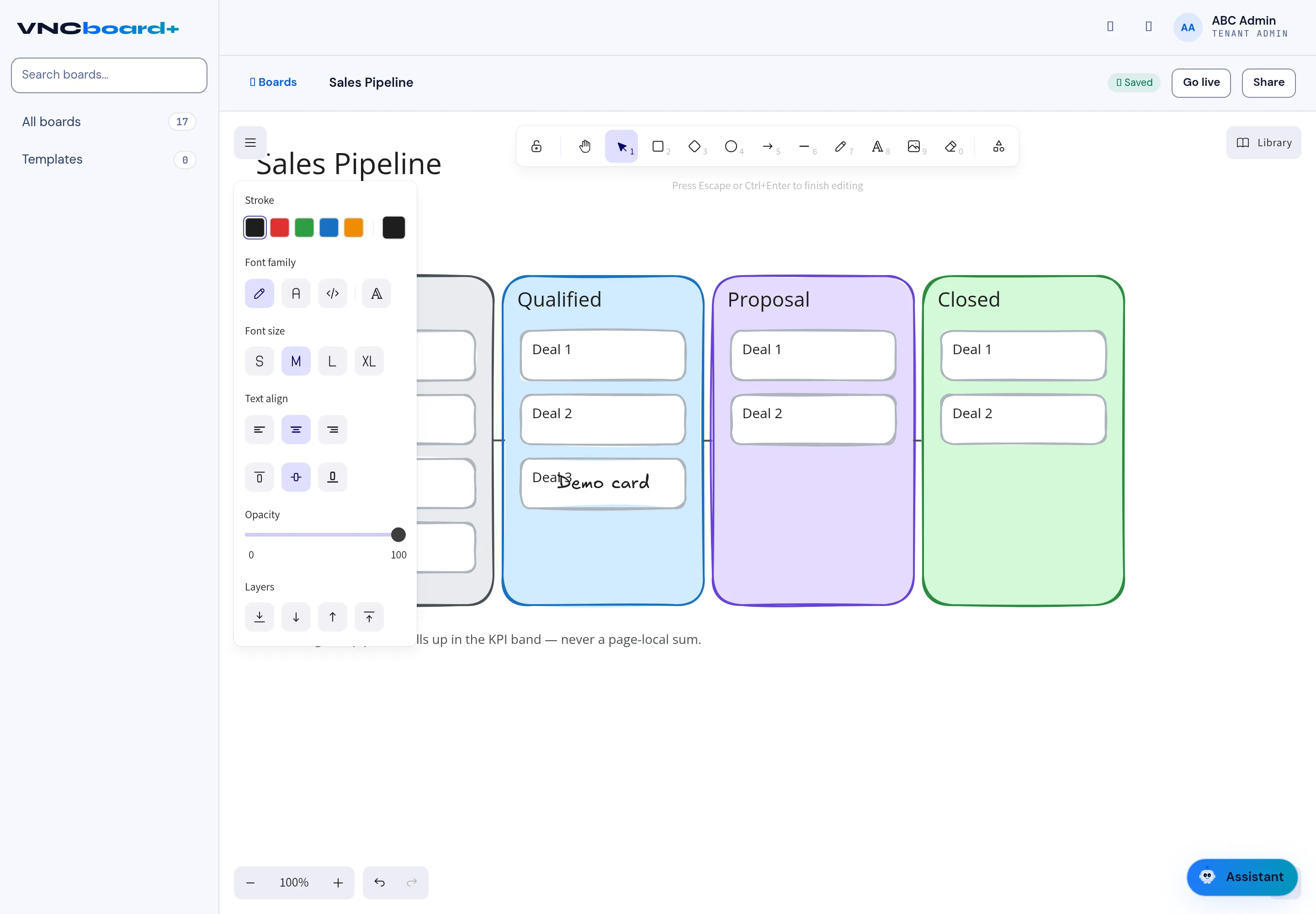
Add text to a board
Text is how you label a board. You can place it anywhere on the canvas and style it without leaving the board.
- Open a board and double-click the canvas where the text should go.
- Type the text.
- Use the text panel to style it:
- Stroke — the colour,
- Font family — handwriting, sans, code or serif,
- Font size — S, M, L or XL,
- Text align — left, centre or right,
- Opacity,
- Layers — bring forward or send backward.
- Press Esc or Ctrl+Enter to finish editing.
Result
Section titled “Result”The text sits on the canvas and can be moved, styled or layered like any other element. Use the toolbar for cards, sticky notes, shapes and connectors, and the zoom controls for scale.