Appearance and themes
The Appearance control in the top bar has two independent axes: a theme family and a mode. Every product exposes both, in the same place.
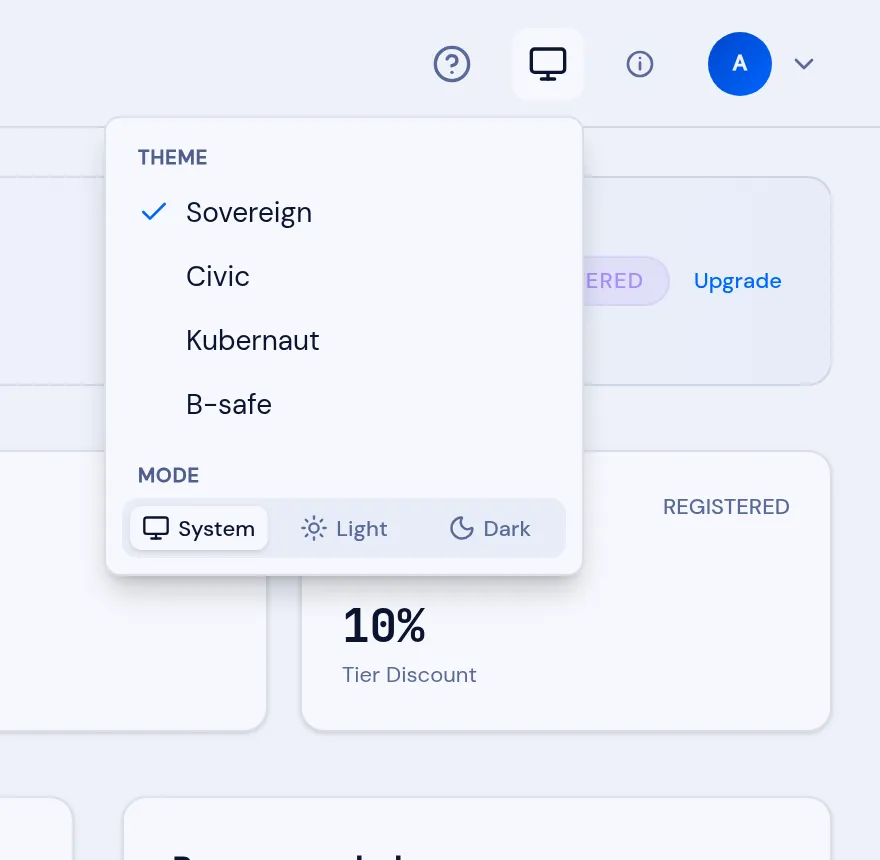
A theme family is the product’s visual identity — its palette, type and shape. Which families a deployment offers is decided centrally; the standard set is:
| Family | Character |
|---|---|
| Sovereign | The dark-first signature theme. |
| Civic | Neutral, for public administration. |
| Kubernaut | The platform-engineering theme (VNCiac). |
| B-safe | A neutral, green-led theme. |
Mode is System, Light or Dark. System follows your operating system. The two axes combine: any family renders in either mode, and it is the same design throughout, so these instructions match your screen whichever you choose.
How your choice is remembered
Section titled “How your choice is remembered”Your selection is stored in the browser and applied before the page paints, so there is no flash of the wrong theme on load. Like any appearance preference it is per device.