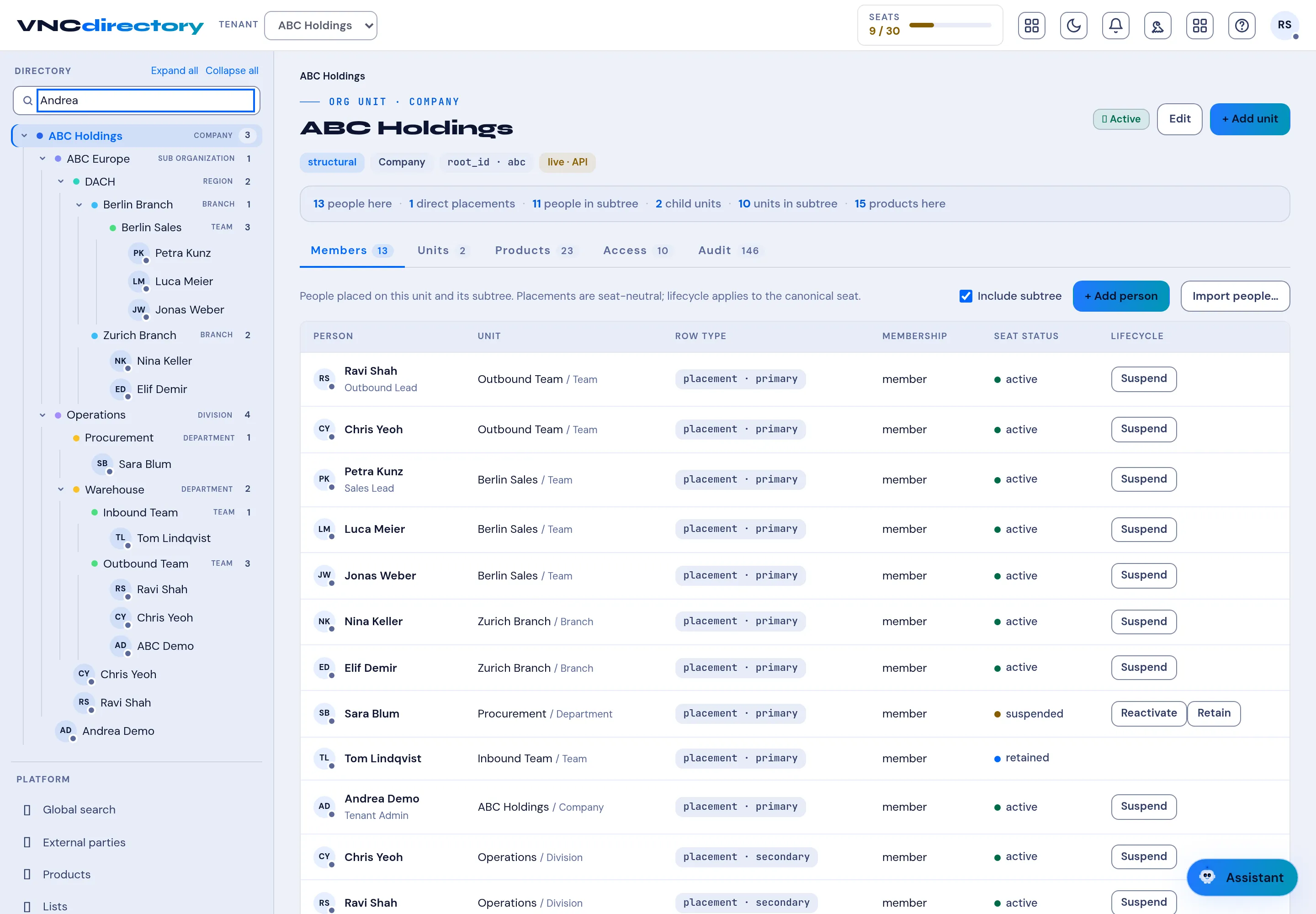
Find a person
VNCdirectory+ is the organization directory: people, units, products and their access. You can search by name or browse the org tree.
- Open VNCdirectory+ (Directory).
- Type a name in the Search field at the top left, or open Global search for a wider query.
- Use the tree on the left to narrow to a company, region, branch or team. Select Expand all / Collapse all to move around.
- The right pane shows the unit and its tabs — Members, Units, Products, Access and Audit. Toggle Include subtree to pull in people from child units.
- Select a person to open their profile, including their placement (primary or secondary), membership and seat lifecycle (Suspend / Reactivate / Retain).
Result
Section titled “Result”Matches update as you type. Administrators can add people here with + Add person, + Add unit or Import people….