Manage external parties
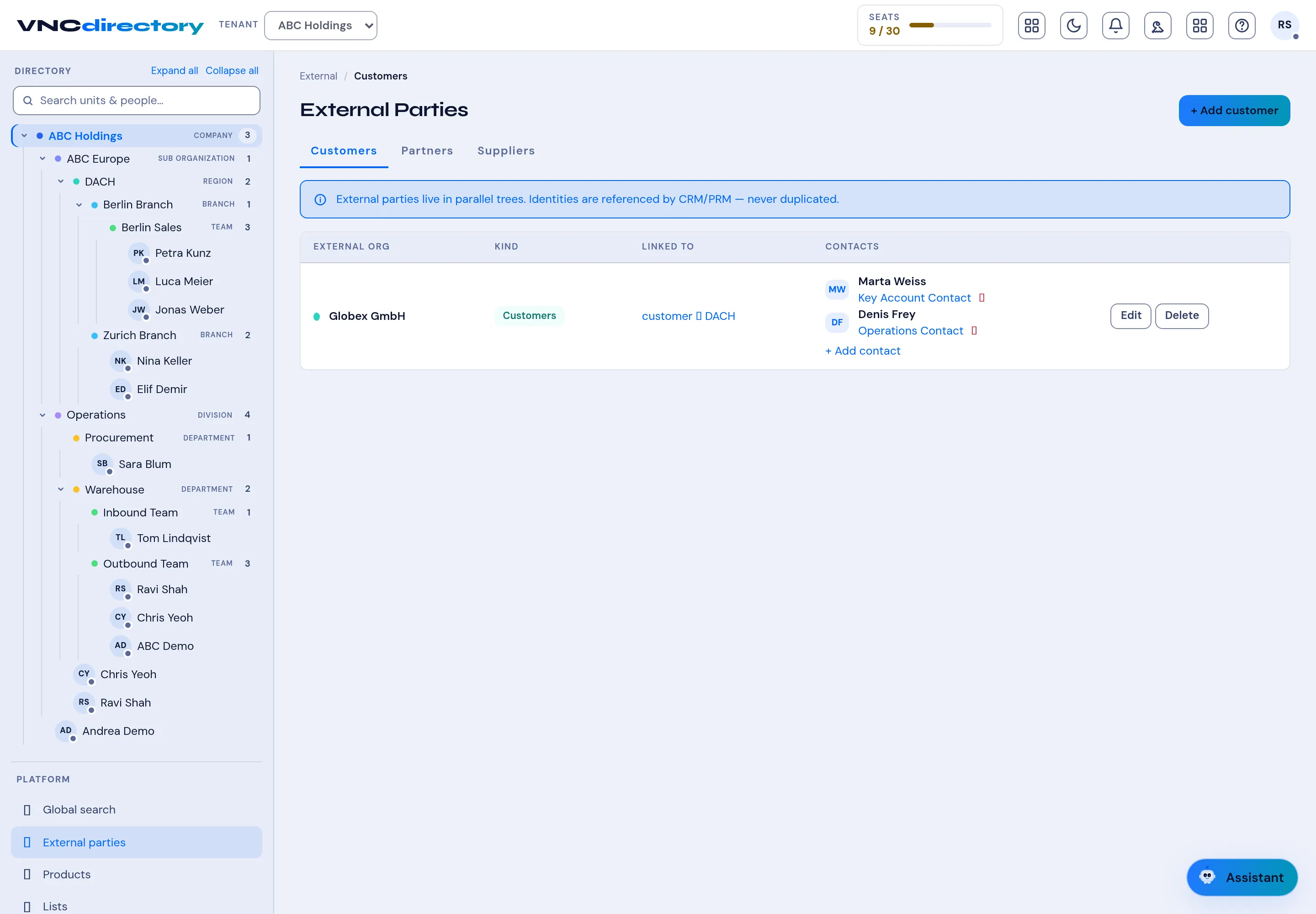
External Parties are the organizations you deal with but are not part of: customers, partners and suppliers. They live in parallel trees, and their identities are referenced by VNCcrm and VNCprm — never duplicated.
- Open VNCdirectory+ and select External parties.
- Switch between Customers, Partners and Suppliers.
- Add one with + Add customer (the label follows the tab). Each party has a kind and is linked to one of your org units.
- Under Contacts, use + Add contact to attach people from the address book (for example a Key Account Contact).
- Use Edit to change a party, or Delete to remove it.
Result
Section titled “Result”The party appears in its list and can be linked from CRM/PRM records. Because identities are shared, updating a party here updates it everywhere it is referenced.